Voice prompts, movie scenes, and show customization
Choicer Voicer Packs
Choicer Voicer Packs supply the voices, scenes, timing, characters, judges, and visual identity that turn the game into a specific show. Use this guide to understand Pack types, find verified starting files, choose compatible community content, install it cleanly, and plan a Pack of your own.
Updated
Choicer Voicer Pack Quick Facts
- Voice Pack
- Short reference lines for performance rounds
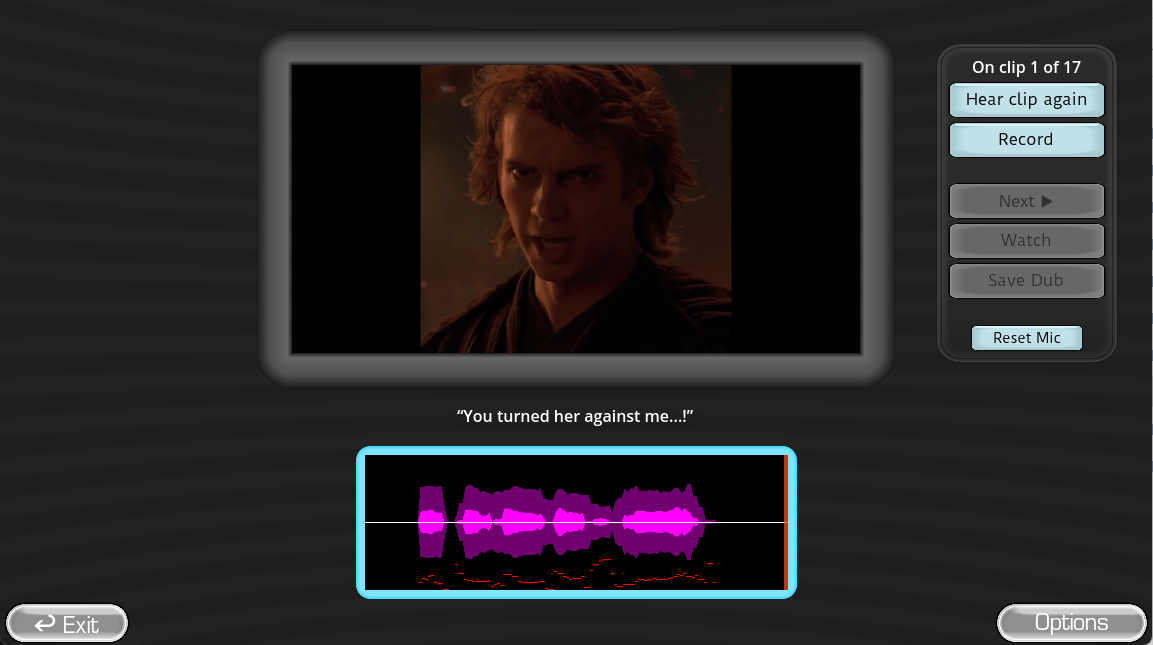
- Dub Pack
- Timed video scenes with several recorded lines
- Official examples
- Packs & References from YeahMaybe
- Community source
- Creator-posted Mods and Pack archives
- First check
- Creator, version, folders, and permissions
- Best first project
- One short line with a clear reference
The word Pack covers several jobs
Choicer Voicer Pack Types Explained
A player searching for “Choicer Voicer Packs” may want new lines, a complete movie-scene dubbing challenge, different judges, a new host, a themed studio, or streamer content. Those are not interchangeable files. Identify the job first, then check the creator’s installation notes and the folder structure before copying anything into the game.
Voice Packs
Short reference clips for impression, character, accent, rhythm, and emotion rounds.
Dub Packs
Video scenes with captions, line timing, reference audio, and playback information for multi-line dubbing.
Judge Packs
Alternative judge artwork, reactions, and scoring presentation for the game-show panel.
Host and Contestant Packs
Presenter and player-character assets that change who appears before and during a round.
Studio and Menu Packs
Visual themes that change the stage, menus, and atmosphere without replacing the voice-performance loop.
Chatter and Twitch Packs
Content designed around streamer and chat participation in compatible desktop modes.
Official first, community second
Where to Find Choicer Voicer Packs and Mods
Begin with the official Packs & References download because it shows the intended structures without forcing you to guess whether an archive belongs to the game. After you understand the folders and content roles, community pages can add themes, characters, scenes, and presentation assets.
The internal Download page is the verified bridge to the current itch.io client and Packs resources. The Mods page explains how to examine community listings. The existing Voice Packs page goes deeper into short reference-line collections.
| Source | Best use | What to verify |
|---|---|---|
| Official Packs & References | Learning the expected structure and starting with developer-provided examples. | Current file notes and which game workflow each example supports. |
| GameBanana community hub | Finding creator-posted Dub Packs, themes, scenes, and other Mods. | Author, upload date, update history, dependencies, permissions, and comments. |
| Creator source page | Reading exact installation and version details for one Pack. | That the archive link belongs to the named creator and has not been repackaged. |
| Local in-browser catalog | Playing supported scenes immediately without installing an archive. | Title, creator, line count, and whether the selected scene fits your group. |
Choose for the session you actually want
How to Compare Choicer Voicer Packs
The best Pack is not automatically the largest. A short Pack with clear audio and useful timing can produce a stronger first round than a long archive nobody in the room recognizes. Match the scene to the players, device, available time, and whether the goal is imitation, character invention, comedy, or a connected final dub.
- Line count: one to five lines are easier for a first Dub Pack; long scenes reward players who can keep a character consistent.
- Reference clarity: the prompt should be understandable without the player fighting music, clipping, or mixed voices.
- Timing quality: each recording window should give the player enough space to begin and finish before the next speaker.
- Player familiarity: recognizable material reduces reading effort, while unfamiliar material can create a stronger cold-reading challenge.
- Compatibility: read the creator’s game-version and folder notes instead of assuming every old Pack belongs in the same location.
- Sharing rights: confirm what you may record, stream, download, edit, or redistribute before publishing a result.

Keep the archive recoverable
A Safe Choicer Voicer Pack Installation Workflow
Do not solve a folder mismatch by scattering files across the game directory. Keep the original archive, identify its top-level Pack folder, and make one controlled change at a time. If the Pack does not appear, remove only the folder you added and reread its instructions.
Confirm the Pack source
Open the creator’s page, read the description and comments, and make sure the download is a content archive rather than an unofficial installer.
Keep an untouched archive
Save the original download so you can compare file names or reinstall without returning to an unknown mirror.
Inspect the top-level folder
Check whether extraction already creates the required Pack directory. Avoid an accidental folder-inside-folder layout.
Back up custom content
Copy Packs you made or edited before updating the desktop game or replacing a similarly named folder.
Install one Pack at a time
Launch the game after each addition. This makes a broken manifest, missing asset, or incompatible version easy to identify.
Test the complete round
Preview the reference, record a line, replay the take, advance to the next clip, and confirm the final playback before a group session.
Build the smallest complete example
Create a Choicer Voicer Pack That Other Players Can Understand
A good Pack is a playable unit, not a loose folder of interesting media. Decide whether you are building a short Voice Pack, a timed Dub Pack, or a presentation Pack. Then make one complete example before expanding the cast or scene count.
- Define the performance: state whether players imitate, invent a character, dub a scene, or respond to a themed prompt.
- Use consistent names: predictable file and folder names make missing references easier to find.
- Trim the reference: remove unnecessary silence and keep the key line easy to hear before recording starts.
- Test timing aloud: read at more than one pace so the window does not work only for the creator.
- Write a short README: include Pack type, creator, version, installation location, controls, and known limits.
- Document permissions: say what players may stream, edit, record, or redistribute and credit every contributor.
For a dedicated walkthrough, continue to How to Create a Choicer Voicer Voice Pack. When the Pack is ready to share, use the recording and sharing guide to plan credits, descriptions, and safe publishing.
Direct answers
Choicer Voicer Packs FAQ
What are Choicer Voicer Packs?
Choicer Voicer Packs are content bundles that change the prompts, scenes, cast, judges, host, studio, menus, or streamer interactions used by the game. Voice Packs focus on reference lines; Dub Packs organize timed video-scene performances.
Where can I download official Choicer Voicer Packs?
Use the Choicer Voicer Download page to reach YeahMaybe’s official Packs & References download on itch.io. It is the best place to inspect current examples and Pack structure before adding community files.
What is the difference between a Voice Pack and a Dub Pack?
A Voice Pack normally supplies shorter audio prompts for impressions and game-show rounds. A Dub Pack connects video, captions, timing windows, reference clips, and backing audio so several recorded lines can become one completed scene.
Are community Choicer Voicer Packs safe?
Treat every community archive as a separate download. Check the creator, source page, update date, version notes, permissions, dependencies, and archive contents. Avoid any Pack presented as a cracked game executable or unofficial installer.
Can I make my own Choicer Voicer Pack?
Yes. Begin with the official examples, choose media you may use, keep file names and folders consistent, test a short Pack first, and document the game version and installation path when sharing it.
Verified paths and community context
Choicer Voicer Pack Sources
Release files and Pack details can change. Use the official itch.io pages for current developer-provided files, then treat each community archive as an independently maintained contribution.
- Official Packs & References on itch.ioDeveloper-provided Pack and structure examples.
- The Choicer Voicer by YeahMaybeCurrent desktop release, platform notes, files, and developer updates.
- The Choicer Voicer community hub on GameBananaCreator-posted Mods and Pack categories; verify each listing separately.
- How to Install Choicer Voicer ModsSite guide for folders, backups, compatibility, and testing.