Mods and custom content
Choicer Voicer Mods
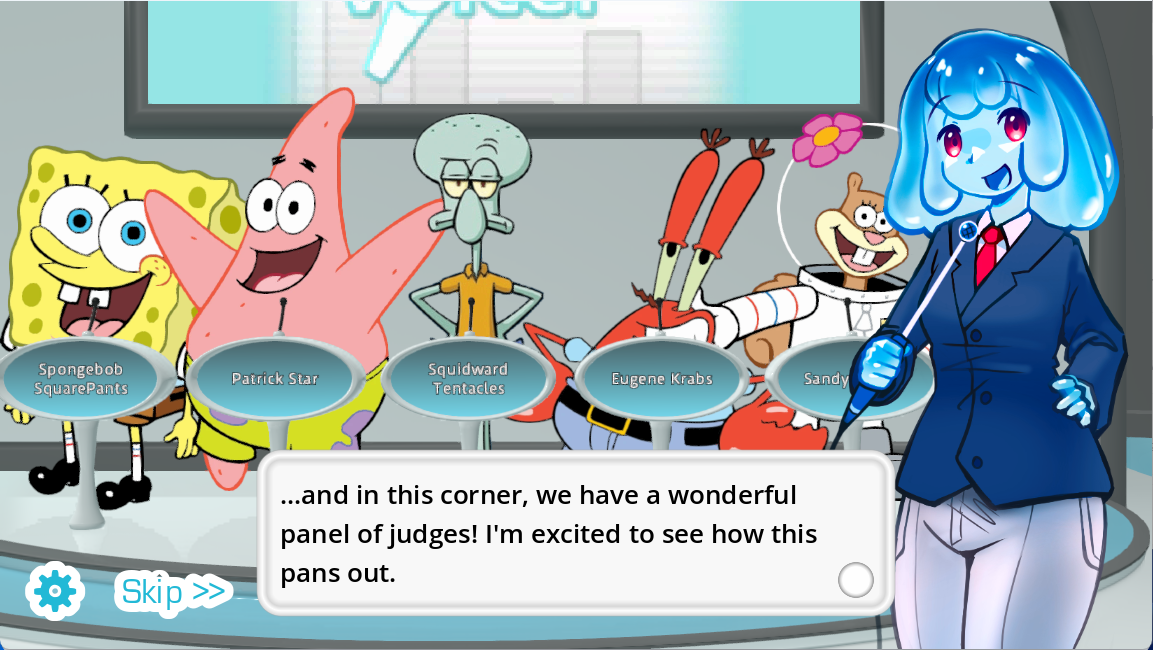
Mods turn the game into a custom show. Voice Packs provide lines, Dub Packs provide scenes, and visual content packs can replace the menu, judges, studio, host, or contestant.
Updated
Quick Facts
- Official design
- Content-pack driven
- Browser catalog
- Playable local Dub Pack manifests
- Community hub
- GameBanana Choicer Voicer
- Official examples
- Packs & References on itch.io
- Install safety
- Media archives, not cracked executables
- Best test
- One full round after every new Pack
Know what you are changing
Types of Choicer Voicer Mods and Packs
| Content type | Changes | Best use |
|---|---|---|
| Voice Pack | Reference audio, subtitles, and clip art | Impression rounds and themed parties |
| Dub Pack | Scene, timed dialogue, and supporting audio | Line-by-line dubbing challenges |
| Judge Pack | The judging panel artwork or presentation | A themed game-show reaction |
| Studio or menu Pack | Background and interface atmosphere | A complete visual theme |
| Host or contestant Pack | Show characters and presentation | Custom identity for a session or stream |
Start from traceable sources
Where to Find Choicer Voicer Mods
Use the official Packs & References page for known examples and structure. GameBanana maintains a community game hub with Pack categories and creator uploads. This site’s Play Game interface contains a local browser catalog so you can preview and launch supported Dub Packs without installing a desktop archive.
A mod listing should identify the creator, content type, update date, game version, installation path, and usage notes. If a download page hides those basics, choose a better-documented Pack.
- Open the official game and default Packs from YeahMaybe on itch.io.
- Use the GameBanana game hub for community categories and creator pages.
- Preview browser-supported Dub Packs from the homepage Mods screen.
- Do not download repackaged full-game executables from a mod mirror.
Try a Pack immediately
Play Browser Dub Mods on Choicer Voicer
Open Play Game
Start the free, complete playable online game from the homepage.
Choose Mods from the game menu
Open the searchable catalog and browse the available cards.
Preview a Pack
Check the title, creator, cover, and true playable line count.
Select Play this mod
Load that Pack’s scene, captions, timing windows, reference clips, and backing track.
Record and review each line
Allow the microphone only when ready; takes remain local in the current browser tab.
Keep customization reversible
Use Community Mods Safely
Back up custom folders, extract every archive in a temporary location, and add one Pack at a time. Scan downloads and avoid cracked installers. For a desktop Pack, confirm that its files are the expected media, text, and configuration assets before moving them into the game.
Direct answers
Choicer Voicer Mods FAQ
What counts as a Choicer Voicer mod?
Voice, Dub, judge, studio, menu, host, and contestant Packs can all customize the game.
Can I play mods in the browser?
Yes. The homepage game includes a searchable catalog of locally loaded supported Dub Packs.
Where should I download the full game?
Use the official YeahMaybe itch.io listing, not a mod mirror or cracked executable.
How do I test a new mod?
Install one Pack, restart the game, and complete a round that checks its audio, artwork, subtitles, recording, and result.
Reference trail
Sources and Further Reading
These sources support the platform, Pack, and workflow facts used in this original Choicer Voicer guide. Check the official store page for release details that may change after the update date above.
- Official The Choicer Voicer pageCustomizable content types and current game status
- GameBanana Choicer Voicer hubCommunity mod and Pack listings
- Voice Pack Guide v0.4Voice Pack file rules