Guide 5 of 5 · Creators
How to Record and Share Choicer Voicer Content
Good Choicer Voicer content preserves the complete joke: the reference, the attempt, the judge reaction, and the people in the room. Plan permission and audio routing before recording, then publish only media you are allowed to share.
Updated
Quick Facts
- Record before playing?
- Tell every participant first
- Core story beat
- Reference, attempt, reaction, result
- Audio priority
- Voice clarity over loud background music
- Pack credit
- Name the creator and source page
- Private information
- Remove from audio, images, filenames, and desktop
- Browser take
- Use the in-page download before closing the tab
Decide what the audience should understand
Plan the Session and Get Permission
Choose whether you are publishing a full game night, a short reaction clip, a Pack showcase, or a how-to. That decision determines which windows, voices, and setup details need to appear. Tell every participant where the recording may be posted and whether usernames, faces, or only voices will be included.
Audit the Pack itself. The creator discussion emphasizes that custom content can contain audio and images from many sources. A Pack being technically playable does not automatically give you permission to republish every clip.
- Get clear permission from every recorded participant.
- Use a Pack whose audio and artwork you are allowed to publish.
- Hide notifications, personal filenames, accounts, and unrelated browser tabs.
- Prepare a credit line for the game, Pack author, and music or artwork when applicable.
Capture the whole performance loop
Record Choicer Voicer Gameplay Clearly
Run a private audio test
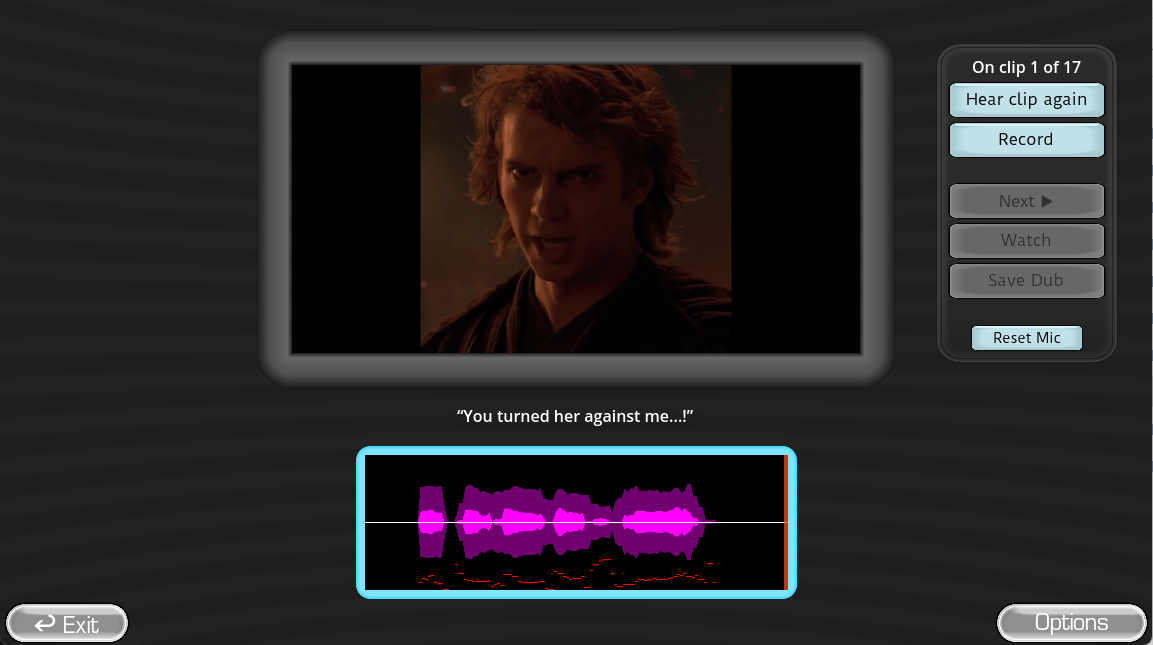
Capture the reference clip, one normal sentence, one loud impression, and the final playback.
Separate voice and game levels
Keep spoken performances clear while leaving enough game audio for prompts and reactions.
Frame the important interface
Include the current prompt, scene or artwork, record state, and result without showing private desktop content.
Record an orientation take
Say the Pack, mode, and player setup so the footage remains understandable during editing.
Save the original capture
Keep an untouched master before cutting clips or changing loudness.
Download browser results promptly
The browser game stores its take only in the current tab, so save the result before refreshing or closing.
Preserve context without dead time
Edit a Choicer Voicer Video or Short
Keep enough of the reference clip for the audience to understand the target. Show the performer’s full attempt when timing is the joke, then leave the judge or group reaction on screen long enough to land. Remove device menus, repeated retries, and silence that do not add information.
| Format | Opening | Middle | Ending |
|---|---|---|---|
| Short clip | Pack and prompt in one beat | Full performance | Fast judge or group reaction |
| Tutorial | State the problem | Show each setting or folder step | Prove a successful round |
| Pack showcase | Name and credit the Pack | Sample varied clips and artwork | Link the authorized source |
| Game-night video | Introduce players and rules | Alternate attempts and reactions | Final score or favorite moment |
Make the source easy to verify
Publish With Credits, Links, and Safe Metadata
Use a descriptive title that names The Choicer Voicer, the mode, and the Pack or challenge. In the description, link the official game page and the authorized Pack source. Credit the Pack author exactly as requested and distinguish your video from an official game upload.
Before posting, listen once on headphones and once on a phone speaker. Check captions, remove private names from filenames and on-screen notifications, and confirm every external download link goes to the intended creator rather than a re-upload.
Direct answers
How to Record and Share Choicer Voicer Content FAQ
Can I record the browser game?
Yes, with the permission of anyone whose voice appears and the rights needed for the Pack media. Save the in-tab result before closing the page.
What should a Choicer Voicer clip show?
Keep enough of the reference, performance, and reaction or result for the audience to understand the challenge.
How should I credit a Voice Pack?
Use the Pack author’s requested name and link the authorized source page or archive.
Should I share the Pack archive with my video?
Only when you created it or have permission to redistribute it. Otherwise link to the creator’s source.
Reference trail
Sources and Further Reading
These sources support the platform, Pack, and workflow facts used in this original Choicer Voicer guide. Check the official store page for release details that may change after the update date above.
- Developer content-pack discussionCreator notes on audio, images, filenames, and community Packs
- Official The Choicer Voicer pageOfficial game identity and current features