Device · Online
Play Choicer Voicer Online
Choicervoicer.io is the free, complete playable online version of The Choicer Voicer—not a demo or practice page. It runs immediately on phones, tablets, Mac, Windows, Linux, and Chromebook browsers with no client installation.
Updated
Quick Facts
- Online game cost
- Free
- Install
- Not required
- Supported browsers
- Mobile, Mac, Windows, Linux, Chromebook
- Recording storage
- In memory in the current tab
- Upload
- No voice upload to Choicer Voicer
- Desktop client option
- Windows and Linux through Download
A complete local browser loop
What Choicer Voicer Online Includes
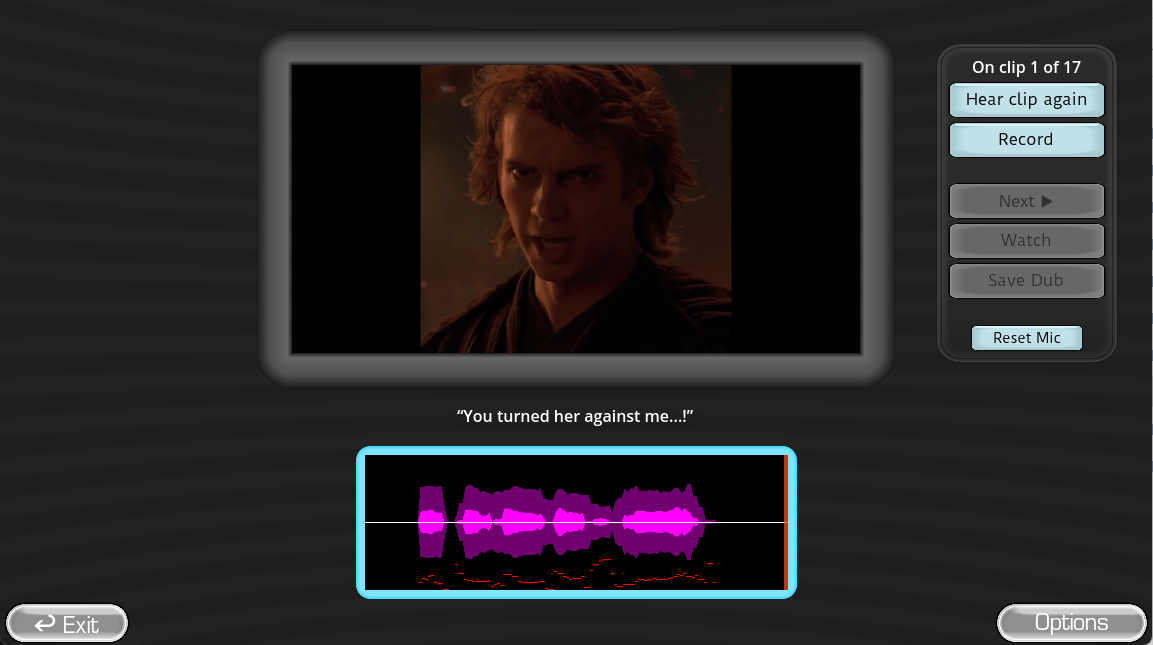
The homepage is the free online Choicer Voicer game. It includes a cover, menu, searchable Mods catalog, Pack preview, timed scene captions, reference playback, microphone recording, local take playback, next-line progression, and a results screen.
Every recording remains an in-memory browser object in the current tab. It is not submitted to Choicer Voicer. Refreshing or closing the page removes the temporary take, so use the available result download before leaving when you want to keep it.
- Play without installing the Windows or Linux archive.
- Search and launch supported local Dub Pack manifests.
- Grant microphone access only when you choose Record.
- Review and replay your take before moving to the next line.
From cover to result
How to Play the Browser Game
Open Play Game
Use the homepage and press Play in the complete game frame.
Choose Single Player or Mods
Start the default Pack or browse the searchable Pack catalog.
Listen and read the prompt
Replay the reference and watch the current caption and clip number.
Record a local take
Allow microphone access, perform the line, and stop the recording.
Play your take and continue
Review the voice, proceed through the Pack, and reach the results controls.
Choose the right version
Browser Game vs. Official Desktop Game
| Capability | Browser on choicervoicer.io | Official desktop game |
|---|---|---|
| Install | None | Windows or Linux download |
| Cost | Free complete playable online version | $5 USD or more for the installed client |
| Voice recording | Temporary local tab recording | Desktop game recording and scoring flow |
| Packs | Supported local Dub Pack catalog | Voice, Dub, menu, judge, studio, host, and contestant Packs |
| Multiplayer | Single-player online game | Local 1–4 players in the supported client mode |
| Online lobby | No synchronized lobby | Not currently available |
Use browser permission deliberately
Microphone and Device Tips for Online Play
Use HTTPS on the canonical choicervoicer.io domain, select the intended microphone in browser site settings, and close calls or camera apps that already use the input. Headphones reduce the chance that the reference audio enters your recording.
Direct answers
Play Choicer Voicer Online FAQ
Is Choicer Voicer online free?
Yes. Choicervoicer.io is the free, complete playable online version and requires no client installation. A separate Windows and Linux desktop client is available through the Download page.
Does the online game upload my voice?
No. Recorded takes remain in memory in the current browser tab.
Is this online multiplayer?
The free online version is currently a single-player game rather than a synchronized remote lobby. The downloadable client supports local play for up to four players but does not currently list a built-in online lobby.
Can I play browser Mods?
Yes. Open Mods from the browser game menu and choose a supported Pack from the catalog.
Reference trail
Sources and Further Reading
These sources support the platform, Pack, and workflow facts used in this original Choicer Voicer guide. Check the official store page for release details that may change after the update date above.
- Play Game on Choicer VoicerFree local browser game
- Official desktop gameDesktop platforms, price, features, and multiplayer limits