Voice Acting Game
Play the Choicer Voicer voice acting game

YOUR VOICE. YOUR SCENE. YOUR TURN.
Press Play and Take Over the Scene
The scene is ready—what it needs is your voice. Press Play, choose a Choicer Voicer Mod, listen once, and perform the line as a hero, villain, detective, narrator, or any character you can imagine. Keep your own accent, try a new one, go dramatic, or make everyone laugh when your voice comes back with the picture.
Your recording stays with you: each take remains temporarily in this browser tab so the game can play it back. Choicer Voicer does not receive the recording.
Use the device already in your hand: play on mobile, Android, iOS, iPad, iPhone, Mac, Windows, Linux, or Chromebook. Earbuds make the reference line easier to hear without microphone feedback.
Your first performance starts here
Play Your First Choicer Voicer Round
You do not need voice-acting experience. Give yourself one clear job for each take, listen to the result, and let the next round get bolder.
- 01
Pick a scene you want to enter
Open Mods and choose a clip that makes you want to speak. A familiar scene is easiest for your first round.
- 02
Choose who you are
Decide before recording: brave hero, suspicious detective, exhausted parent, chaotic villain, calm narrator, or your own idea.
- 03
Listen once, then commit
Notice where the line starts and stops. When recording begins, trust the choice and carry it all the way through.
- 04
Watch your voice return to the scene
Enjoy the reveal. If the timing is close but the character feels quiet, replay it bigger. If it makes you laugh, save that idea for the next line.
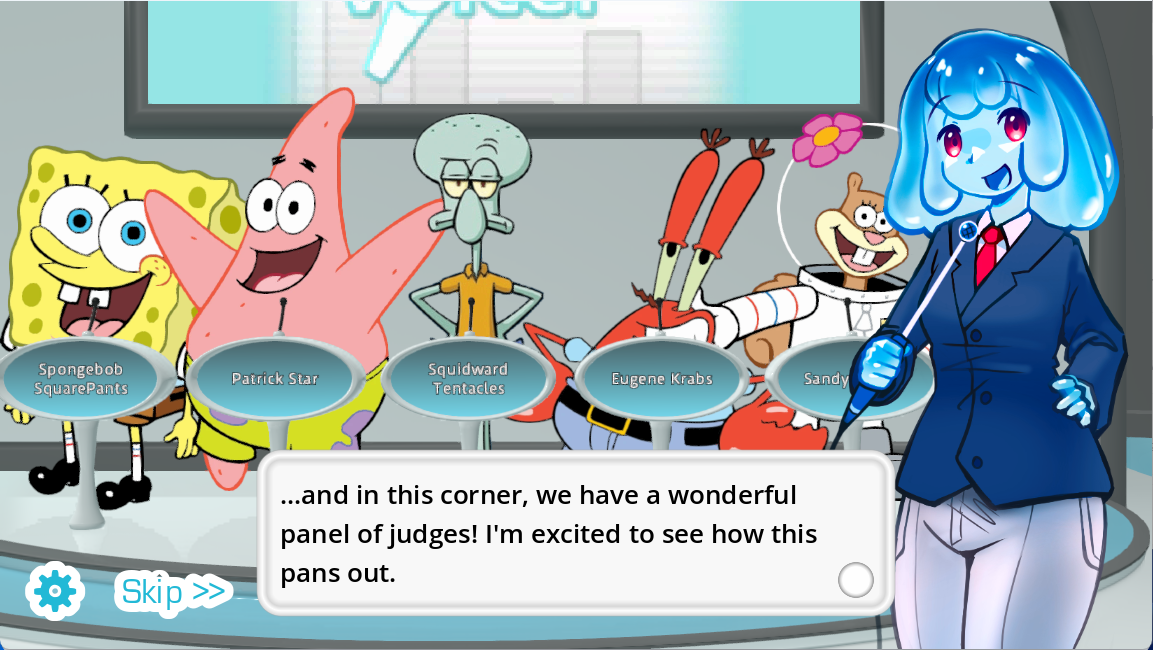
Your session, right now
Who Will You Play in Choicer Voicer?
This board reacts to your browser and the Play button in real time. Then use the role list to turn the same Choicer Voicer scene into a performance that sounds like you.
Ready—press Play above
Your first scene is one click away.
Your browser
Choose one bold character
Use your natural voice or surprise yourself with a completely different one.
| Who is playing | Who to play | Voice to try | What to play on | How to play the round |
|---|---|---|---|---|
| You in Australia | A quick-witted space captain | Your natural Australian voice | Phone or laptop with earbuds | Stay relaxed, land the comeback, and let the final word carry the attitude. |
| You in the United States | An overconfident cartoon villain | Your voice turned bigger and slower | Windows PC with a USB mic | Build toward the threat, then enjoy it when the playback makes the scene absurd. |
| You in the United Kingdom | A detective caught in a lie | Your own regional British voice | MacBook with a headset | Begin completely composed, then let the panic slip into the last half of the line. |
| You in Japan | A fearless anime rival | Japanese, English, or a dramatic character voice | Tablet and wired earbuds | Hit the first word cleanly, raise the energy, and finish as if the whole scene depends on you. |
| You in Brazil | A football commentator inside an action scene | Your Brazilian Portuguese voice | Android phone with a headset | Turn every movement into a live call and keep the excitement moving through the full line. |
| You and your friends | A new character for every person | Each player’s own accent | One shared laptop or the local client | Record privately, reveal every take together, and vote for the voice you want to hear again. |
Make the scene sound like you
A Game That Allows You to Speak over Movie Scenes
Choicer Voicer puts the picture, reference line, caption, and recording moment together. Listen, speak when the line arrives, and then watch the scene with your performance in it.
Try the scene twice. On take one, follow the original timing. On take two, keep the timing but change the person: older, younger, braver, sleepier, angrier, kinder, or completely ridiculous. That second playback is where the scene becomes yours.
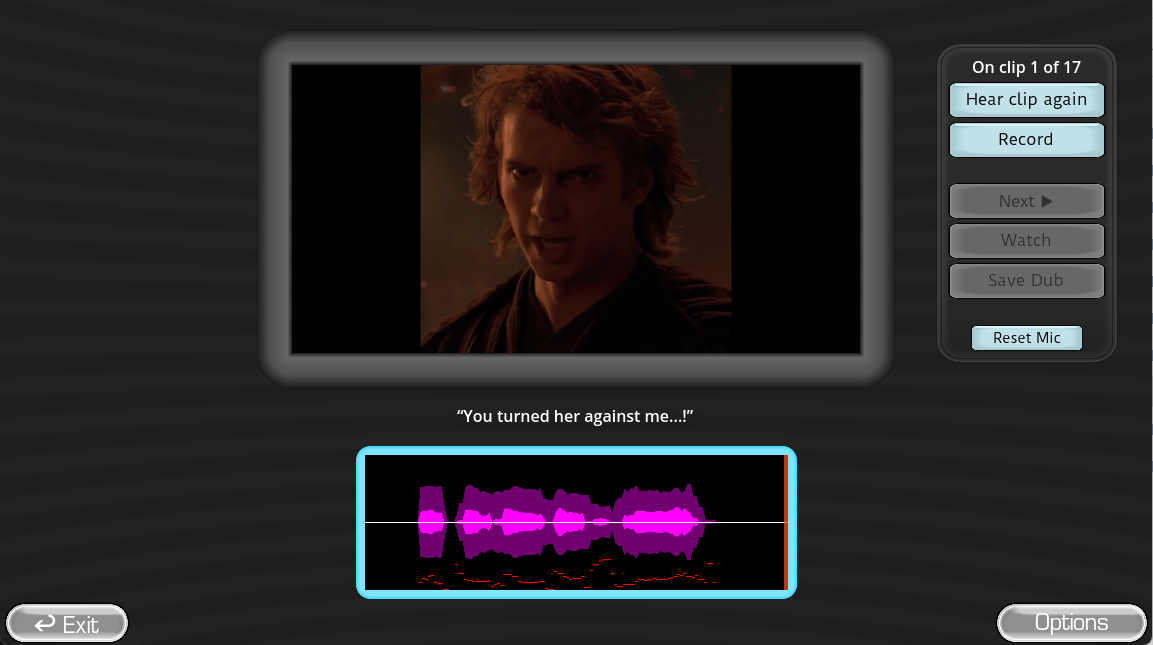
Every replay can sound different
Make a Choicer Voicer Scene Your Own
There is no single correct performance. Match the original if you enjoy impressions, replace it with a completely different character, or hand the same line to every friend and compare the reveal.
Save the scene
Play the hero who knows exactly what to do. Keep the voice clear, confident, and right on time.
Change the accent
Keep the same words and timing, but perform them in your own accent or a voice you can hold for the whole line.
Make your friends break
Choose the least expected character, commit fully, and do not explain the joke before everyone hears the playback.

Watch players commit to the voice
Watch Complete Choicer Voicer Rounds
See how real rounds move from the reference line to the performance and final reaction. Then press Play above and try the same idea with your own character.
Vinesauce Plays Choicer Voicer Dub Mode
Watch a longer Dub Mode session, including the performances, retries, finished scenes, and reactions that make the next line worth playing.
SeeReax Turns Every Voice into a Group Reaction
Watch players make strong character choices and discover how much fun the reveal becomes when friends hear every take together.
Everything you need for the next take
Voice Acting Game Questions
How do I start the voice acting game?
Press Play at the top of this page, open Mods, choose a scene, and listen to the reference line. When the game asks for your take, allow microphone access and perform the line in your own voice.
What should I do in my first Choicer Voicer round?
Keep the first round simple: choose one clear character, listen for where the line begins and ends, and give the performance plenty of energy. Your next take can change the accent, mood, or character.
Can I speak over movie scenes?
Yes. Dub Packs combine a video scene, reference audio, captions, and recording windows. Your recorded lines return to the scene so you can watch the completed performance.
Can I use my own accent?
Absolutely. An Australian player can turn a character into an Australian hero, a British player can use a regional UK voice, and every player can keep their natural accent or invent a completely new one.
Can I play on a phone, tablet, or Mac?
Yes. The free browser game works on current mobile, Android, iPhone, iPad, Mac, Windows, Linux, and Chromebook browsers. Earbuds help prevent the reference audio from feeding back into the microphone.
Does Choicer Voicer upload my microphone recording?
No. The browser game keeps your take temporarily in the current tab so it can play the line back to you. The recording is not submitted to Choicer Voicer.
How can friends play together?
Choose one scene, give each friend a different role or voice rule, and reveal the takes after everyone records. You can take turns in the browser or use the downloadable Windows and Linux client for local play with up to four players.
Keep the voices going
Find More Choicer Voicer Performances
Finished your round and want more character ideas? Open these TikTok and Instagram pages, choose one performance that makes you react, and bring that energy back to your next scene.